Phone and Cinema views
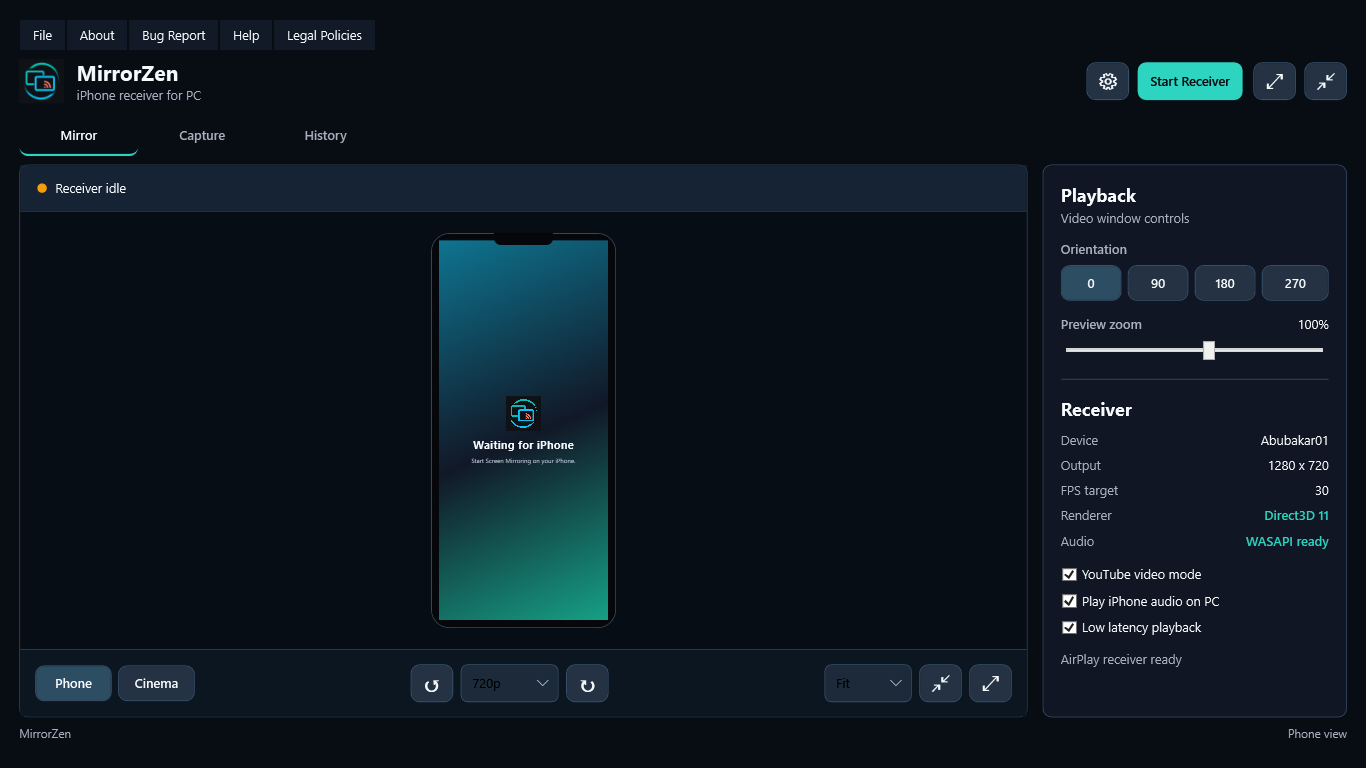
Keep the full iPhone frame or move videos into a clean 16:9 viewing space.
 MirrorZen
Get Pro
MirrorZen
Get Pro
Private preview for Windows
Your iPhone screen, comfortably at home on your PC. Watch with audio, switch to cinema view, rotate, capture and record without a cloud relay.
Windows 10/11, 64-bit Installer will be added after the next app update.
Built for the big screen
MirrorZen turns the PC into an AirPlay receiver and keeps the controls close without making playback feel crowded.
Keep the full iPhone frame or move videos into a clean 16:9 viewing space.
Play iPhone audio through the PC with low-latency and video-focused tuning.
Rotate the PC view, zoom, and choose Fit, Fill or Stretch without rotating the iPhone.
Balanced, Low Latency, Cinema and Data Saver settings tune quality in one step.
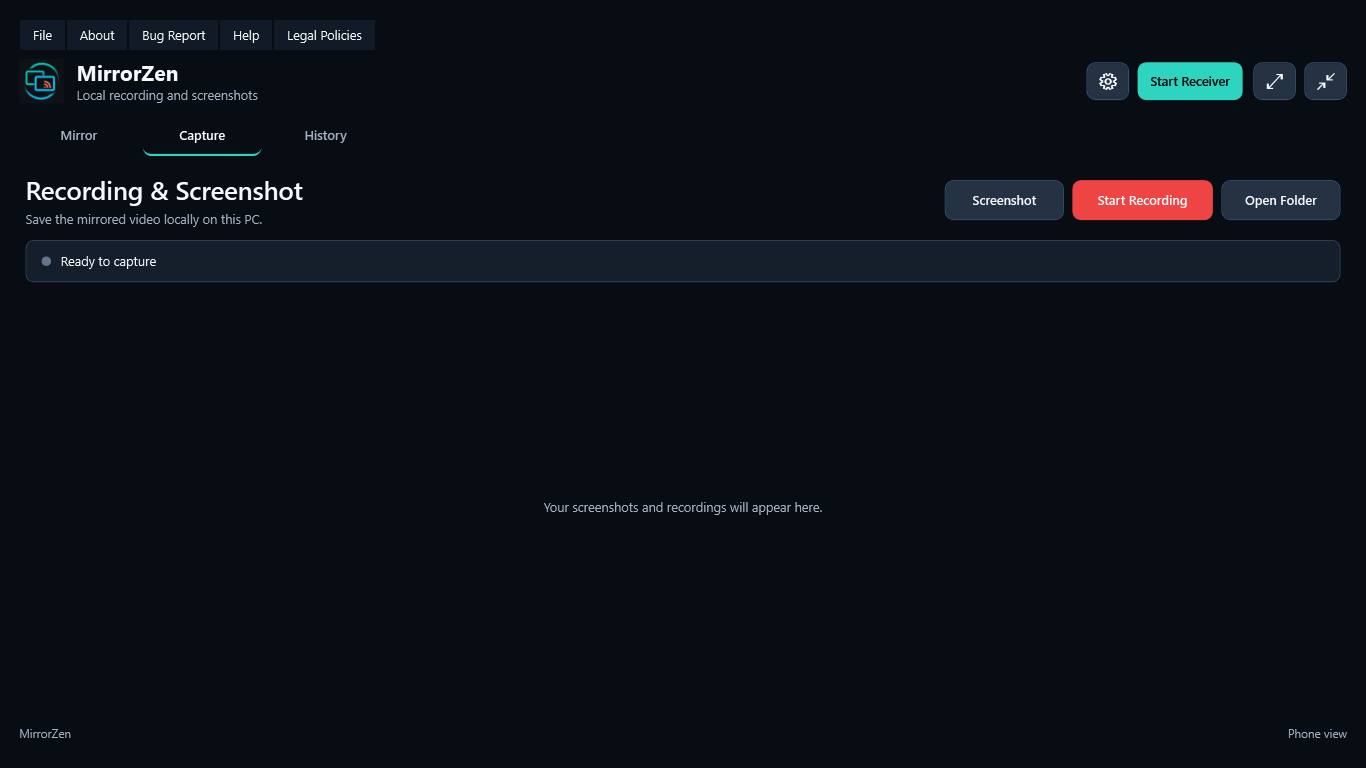
Save MP4 recordings and PNG screenshots locally in the Windows Videos folder.
See the device names and models reported by recent AirPlay connections, then clear them any time.
A focused workspace
The receiver stays available while dedicated Capture and History tabs replace the main workspace. No floating control maze and no separate video window.
Inside MirrorZen
Select any screenshot for a closer look.
Three simple steps
Connect the iPhone and Windows PC to the same local Wi-Fi or LAN.
Start the receiver and use your chosen name, such as Living Room TV.
Open Control Center on iPhone and select the MirrorZen receiver.
MirrorZen receives and captures the screen. iOS does not allow a Windows AirPlay receiver to control the iPhone touch interface.
MirrorZen Pro
Both plans unlock the complete Pro feature set. Sign in to the Windows app first, then use the same account email at checkout.
Monthly
$2.99USD / month
Flexible access with automatic monthly renewal.
Choose monthlyYearly Best value
$19.99USD / year
One payment for a full year of MirrorZen Pro.
Choose yearlyTaxes and available payment methods are shown by Paddle at checkout. Subscriptions renew automatically until canceled.
Privacy by default
MirrorZen has no analytics, advertising or cloud relay. Mirrored content, captures, connection history and privacy-safe crash logs stay on the PC. Account and billing data are handled separately by Supabase and Paddle.
What is next
MirrorZen is still receiving playback refinements and new features. The installer will be published here only after the next tested build is ready.
Now Live account, checkout and subscription foundation
Next Final app refinements and clean-PC testing
Then Installer, release notes and secure updates
Good to know
No. It uses AirPlay over the local network. For the smoothest 1080p video, use 5 GHz Wi-Fi or wired Ethernet on the PC.
No. Apple does not expose remote touch control through standard AirPlay mirroring. MirrorZen focuses on viewing, audio and capture.
They are stored locally under the MirrorZen folder in Windows Videos. The app includes a shortcut to open that folder.
After the next app changes are complete and the full installer passes another real-iPhone and clean-PC test.